What you'll actually take home
Take-home pay for the 2026/27 tax year, calculated as you type.
Enter your pay before tax. No pension or student loan is assumed.
Compare two jobs
Got a new job on the table?
A promotion or an offer is never worth what the letter says. Put it next to what you earn today and see the real difference: take-home, pension and the whole package, side by side.
For example
£45,000 rising to £52,000
Looks like £583 a month. After tax and National Insurance you keep
£400 a month
What your take-home pay is
Take-home pay is what reaches your account: your pay, less Income Tax, National Insurance, any student loan repayment and anything you put into a pension. On £50,000 a year with no pension and no student loan, that is £3,293 a month, after £624 of Income Tax and £250 of National Insurance.
It does not have to be the same every month. PAYE is cumulative: each payslip works out the tax due on everything you have earned since April and takes the difference, so a rise in June, a bonus in December or a month of unpaid leave moves that payslip and the ones after it.
Work yours out in four steps
- Type in what you earn. Your pay before anything is taken off. "45k" works as well as 45,000, and the figure updates as you type.
- Say how often you are paid. A year, a month, a week, a day or an hour. Switching between them converts what you typed rather than clearing it, so an hourly rate can be checked against a salary.
- Add what applies to you. A pension contribution and how it is taken, a student loan plan, Scotland, the tax year, your tax code, overtime, a bonus. Every settings row says what it holds, even when it is closed.
- Read it as a payslip. What reaches your account each month, where the rest goes, your Income Tax band by band, and what the next pay rise would be worth once tax has taken its share.
Why your payslip might not match
The figure above is a full year at one salary, which is the one thing a real payslip rarely is. These are what move it.
- Your tax code is not the standard one
- HMRC puts benefits in kind, tax owed from an earlier year and Marriage Allowance into your code, and the code decides how much of your pay is tax free. Type yours into the Tax row above, or read what the letters and numbers mean.
- It is your first payslip in a new job
- A new employer often starts you on an emergency code until HMRC sends the right one, which usually takes too much tax. It comes back through your pay once the code arrives.
- A bonus landed that month
- A bonus is taxed in the month it arrives, and PAYE often takes more than the year finally needs, then gives it back over the months after. The calculator shows that month beside a normal one when you enter a bonus.
- Something comes off before tax
- Salary sacrifice, cycle to work and childcare vouchers lower the pay your tax is worked out on, so your take-home falls by less than the amount sacrificed. The guide compares the three ways a pension can be taken.
- You have a company car or medical cover
- Benefits in kind are taxed through your code rather than as a deduction, so they shrink your tax-free pay instead of appearing on the payslip as a line.
- A student loan has just started
- Repayments begin the April after you finish your course, not when you graduate, and they are taken on the pay above your plan's threshold rather than on all of it. The guide lists the threshold for each plan.
Common salaries after tax
A page each, with the monthly and weekly figures, where the money goes, and what the next pay rise would be worth.
- £20,000£1,493 a month
- £25,000£1,793 a month
- £28,000£1,973 a month
- £30,000£2,093 a month
- £32,000£2,213 a month
- £35,000£2,393 a month
- £40,000£2,693 a month
- £45,000£2,993 a month
- £50,000£3,293 a month
- £60,000£3,780 a month
- £80,000£4,746 a month
- £100,000£5,713 a month
Every £1,000 from £15,000 to £85,000, and Scotland beside it, in the salary tables.
Chrome extension
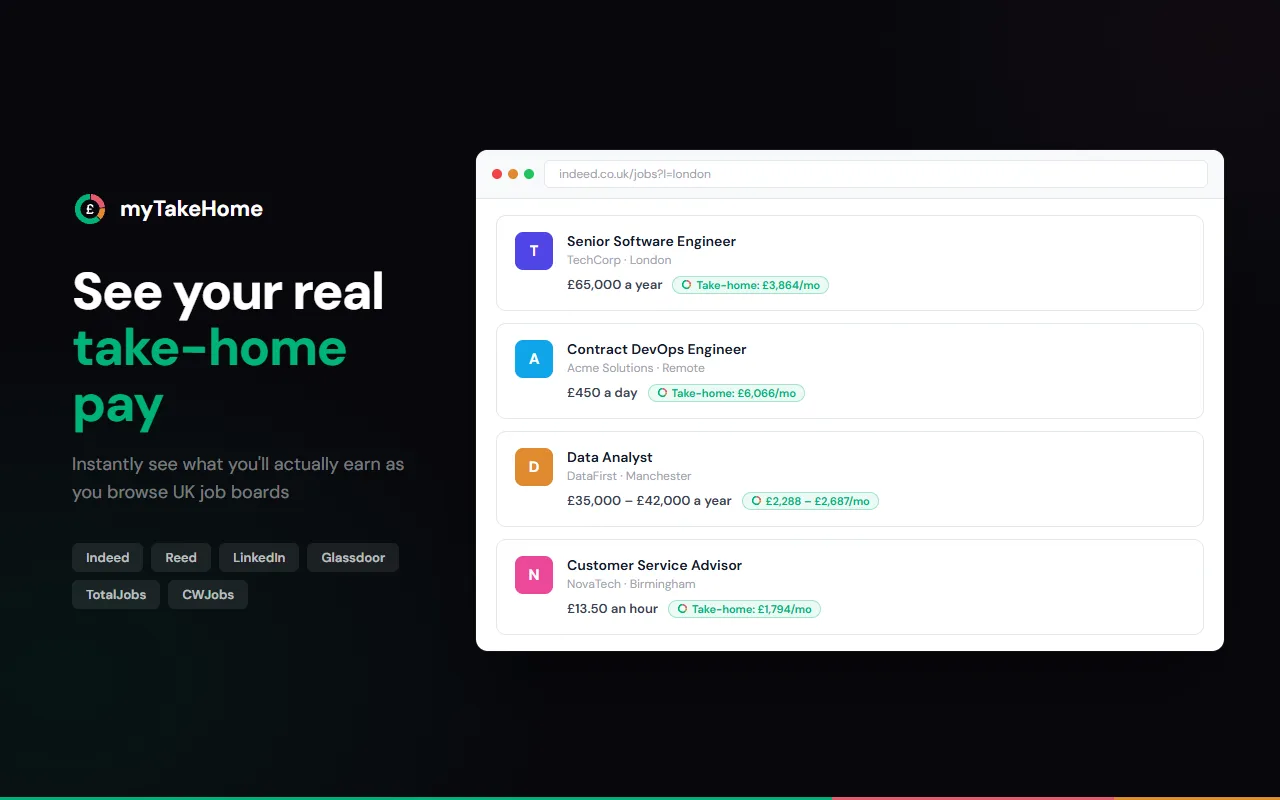
See your take-home pay on every job listing
myTakeHome for Chrome adds your real, after-tax salary straight onto the jobs you browse on Indeed, LinkedIn, Reed, Glassdoor, TotalJobs, and CWJobs. No sign-up, no tracking.
UK tax guide
How your take-home pay is worked out for 2026/27, explained in plain English
Income Tax bands 2026/27
How the 20%, 40% and 45% bands stack on top of your £12,570 Personal Allowance.
Scottish Income Tax rates
Six bands from 19% to 48%, and where they differ from the rest of the UK.
National Insurance rates
The 8% and 2% employee bands, and why NI eases off above £50,270.
Student loan repayments
Thresholds and rates for Plans 1, 2, 4 and 5, plus postgraduate loans.
Pension tax relief
Salary sacrifice vs relief at source vs net pay, and which saves you most.
The £100k tax trap
Why marginal rates reach ~60% (62% with NI) between £100,000 and £125,140.
Tax codes, Marriage Allowance and employer NI are covered too. Read the full UK tax guide 2026/27
Frequently asked questions
Common questions about UK salary calculations